Native automotive playback
Runs through Android Automotive's media experience and communicates directly with the in-vehicle playback service.
 GeeDrive
GeeDrive brings your personal Plex music library to the dashboard with a focused interface, profile switching, loudness-aware playback, resilient queue restoration, and intelligent transitions.
In active development · Google Play release planned
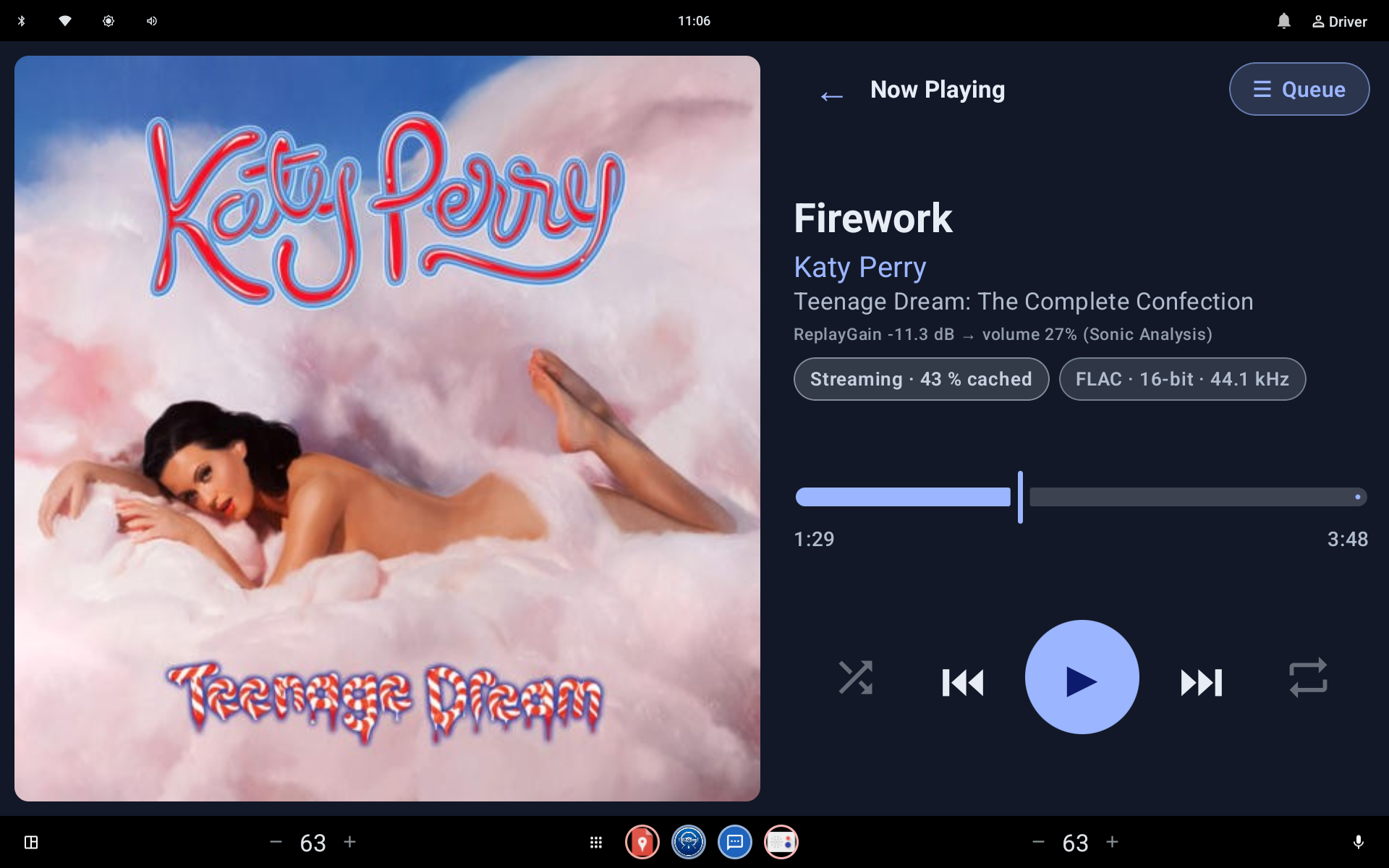 Your real Now Playing screenshot goes here
Replace the matching file in assets/screenshots
Your real Now Playing screenshot goes here
Replace the matching file in assets/screenshots
DRIVING-FIRST BY DESIGN
GeeDrive combines direct Plex access with a native automotive playback service. Every major interaction is designed around clarity, continuity, and fewer distractions.
Runs through Android Automotive's media experience and communicates directly with the in-vehicle playback service.
Browse artists, albums, tracks, and playlists from your own Plex Media Server with secure device-link authentication.
ReplayGain metadata helps keep playback levels consistent, with track and album gain support.
Switch profiles without rebuilding the entire experience, while keeping library access tied to the selected user.
Restores the saved queue and current track so the vehicle's media surface is ready after the app or vehicle restarts.
Analyzes usable start and end ramps to create natural transitions while respecting abrupt endings.
NOW PLAYING
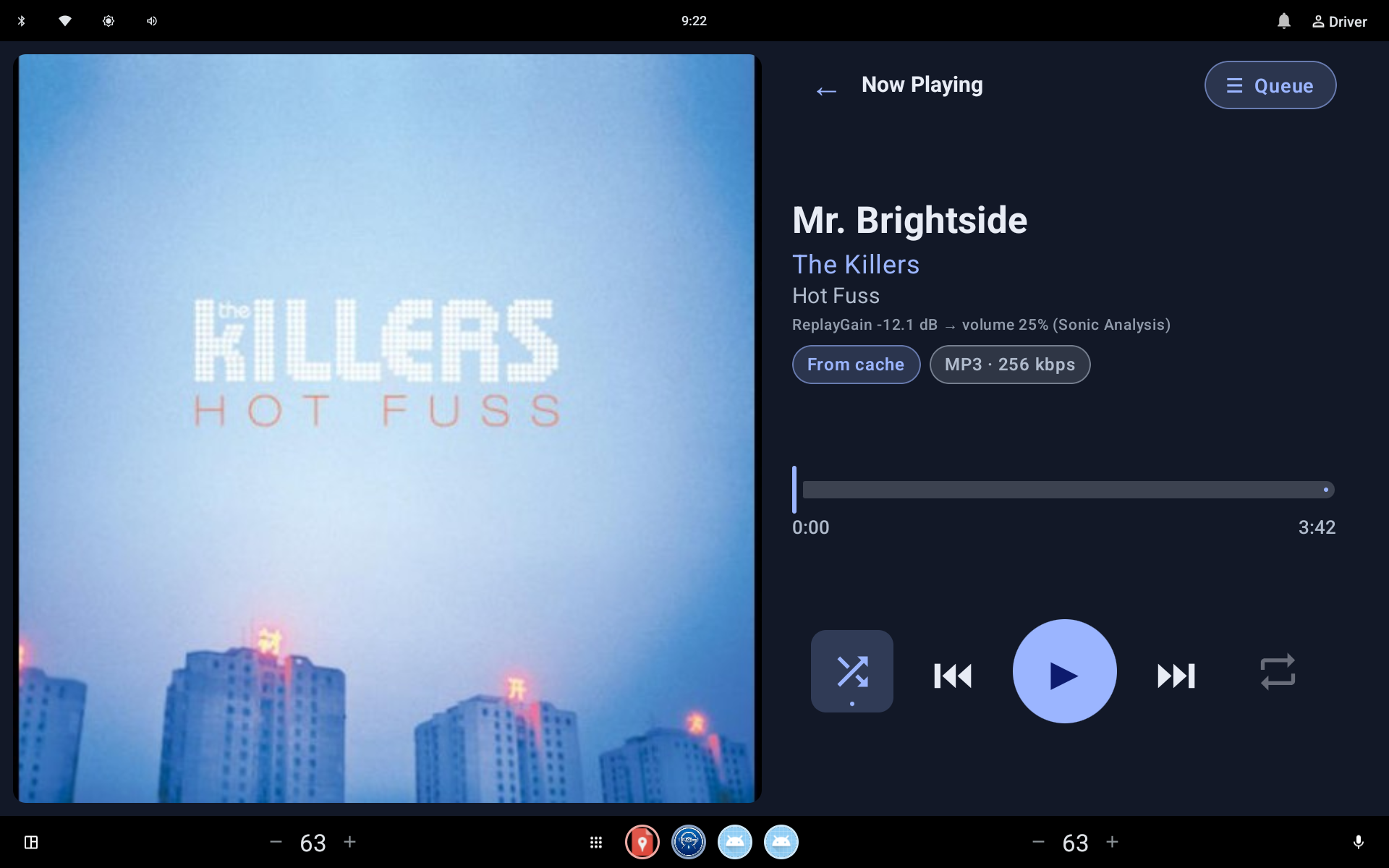
Prominent artwork, clear track details, direct transport controls, queue access, shuffle and repeat. The final website will use an exact capture from GeeDrive, not a fabricated interface.
REAL APP. REAL SCREENS.
Each placeholder has a final filename and recommended composition. Add the real captures later without redesigning the page.
Now Playing
now-playing.webp
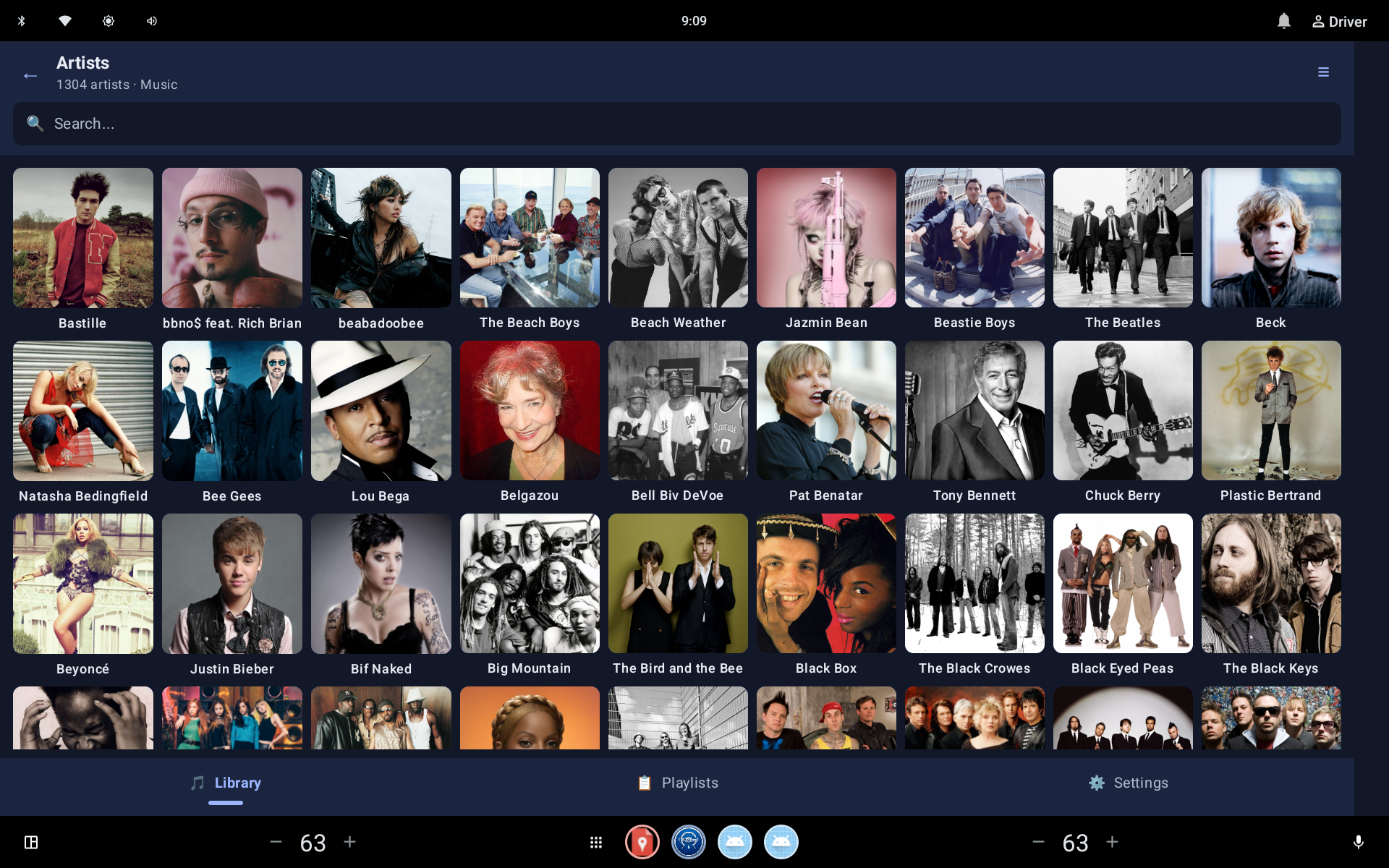 Library browsing
library.webp
Library browsing
library.webp
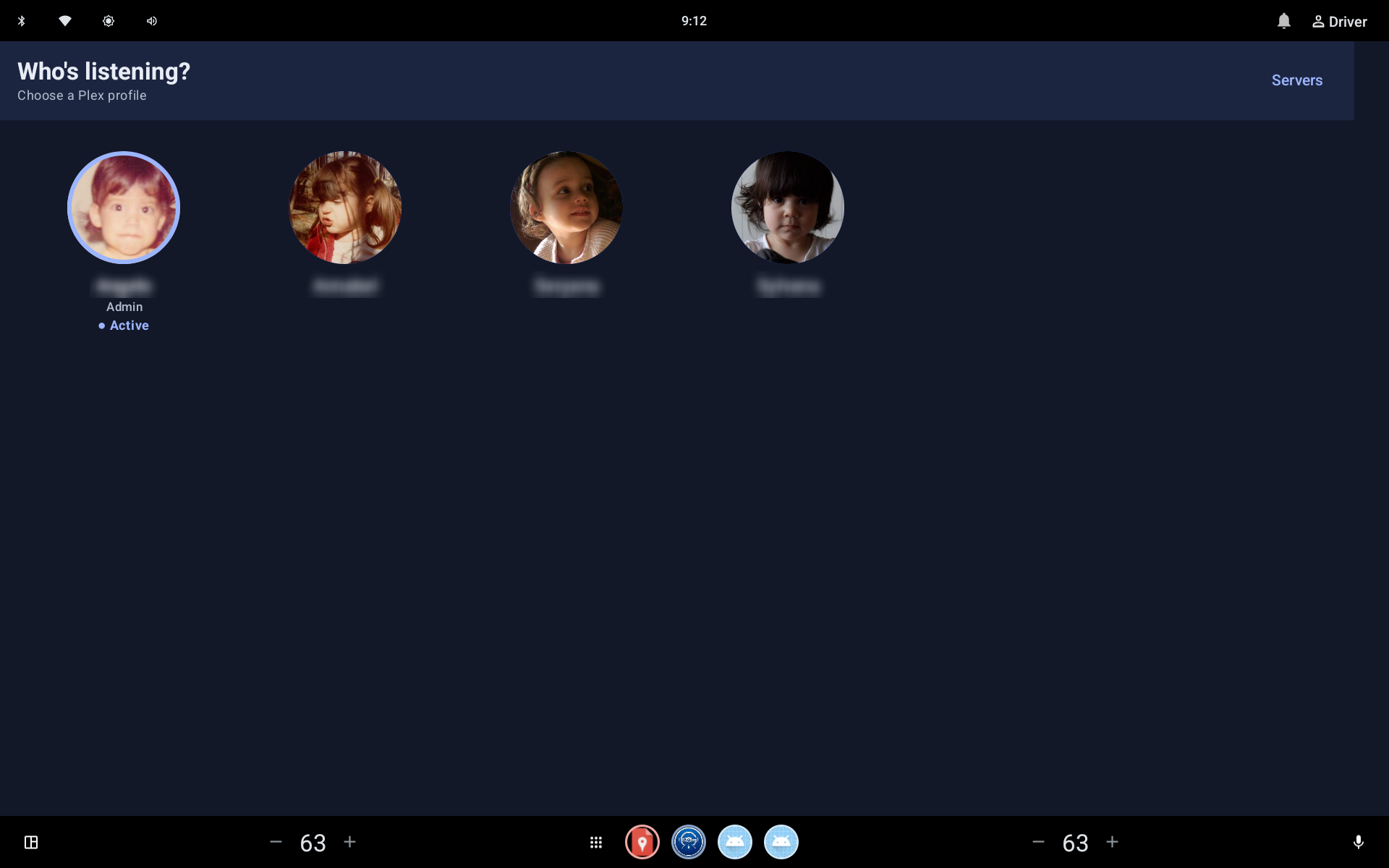 Profile switching
profiles.webp
Profile switching
profiles.webp
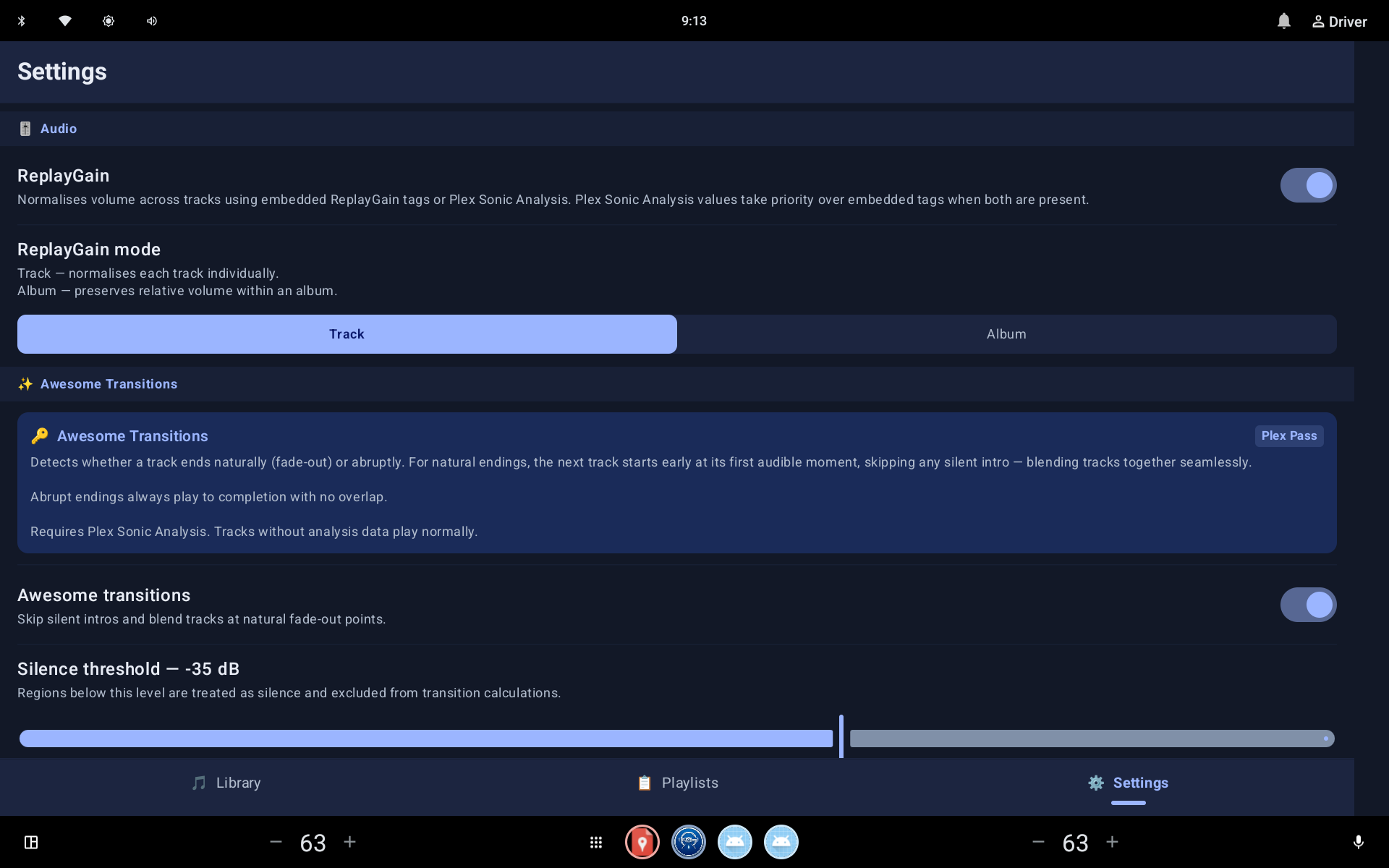 Playback settings
playback-settings.webp
Playback settings
playback-settings.webp
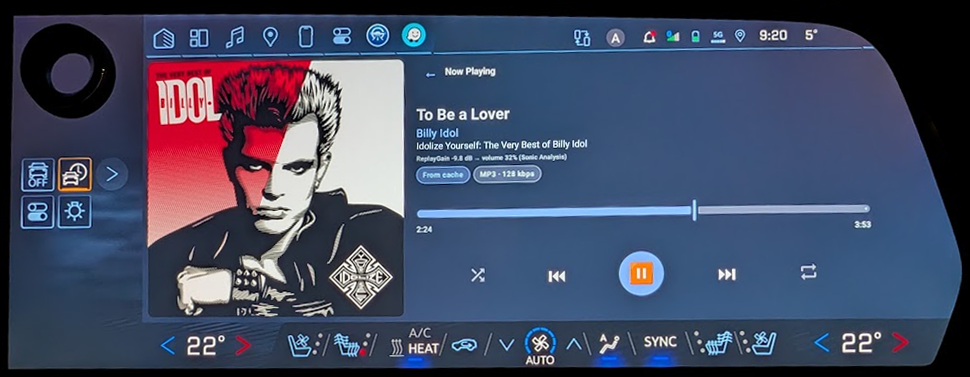 In the vehicle
blazer-ev.webp
In the vehicle
blazer-ev.webp
UNDER THE HOOD
Vehicle connectivity changes. Servers restart. Apps resume. GeeDrive is engineered to recover playback cleanly and preserve the listening context instead of treating every interruption as a fresh session.
WHAT'S NEXT
The website distinguishes working functionality from planned work so visitors always know what is available.
FAQ
GeeDrive is being developed for Android Automotive OS. Public compatibility claims will be added after release testing.
No. GeeDrive connects to a user's own Plex music library and requires access to a Plex Media Server.
No. GeeDrive is an independent application and is not endorsed by, sponsored by, or affiliated with Plex, Inc.
GeeDrive is in active development. Download information will be published here when a release is available.
THE ROAD AHEAD
Follow GeeDrive's progress as it moves toward release.